<img alt="" src="https://secure.smart-company-365.com/266006.png" style="display:none;">
IQGeo_Logo_w_tag_2024_on_white

Network Manager Telecom

Flexible, mobile and AI-powered telecom network management

50-90%

reduction in design time

Save 33%

in engineering costs

100% audited

operations by visual AI

Manage Fiber and Coaxial Networks With One Easy-To-Use Platform 

Today’s telecom networks are larger, more complex, and evolving faster than ever. 
Network Manager Telecom is built for this reality, helping you plan, build, and operate fiber and coax networks with accurate data, simple field tools, and automated AI quality checks.

We offer Network Manager Telecom in two deployment options to meet the needs of any operator, regardless of size or complexity. Visit our deployment overview page to find out which option is right for you.

Deployment Options >>>


icons_design

Flexible network model

Design

Mobile-first design

Monetize

AI-powered quality checks

Asset

Full lifecycle support

Watch the feature videos to see Network Manager Telecom in action.


Trusted by Telecom Network Operators Around the World

Virgin Media 02 logo
AT&T-logo-540x200
Brightspeed_Logo
Boldyn-logo-130x45
C Spire
connect-fibre-logo-yellow (1)

Network Manager Telecom

SaaS vs Enterprise

Capabilities
SaaS

Lorem ipsum dolor sit amet,

Enterprise
Features
Outside and Inside plant inventory

IQGeo's flexible network model supports both outside and inside plant inventory requirements.

Vector
Vector
Fiber planning and design

Manual fiber network design and route planning. 

Vector
Vector
Fiber management

End-to-end fiber management including splicing, termination, patching, utilization, reservations, fault tracing, and location.

Vector
Vector
Field mobility

Online, responsive browser-based mobility that takes the full network model to the field on tablets.

Vector
Vector
Dynamic network schematics

A powerful automatically-generated schematic view that visually displays network connectivity down to the fiber level.

Vector
Vector
Search and reporting

One box search makes finding model assets and addresses fast and simple, combined with easy-to-use reporting.

Vector
Vector
Integrated Google Maps and Street View

Embedded Google Maps and overlay of infrastructure onto Street View provides an intuitive geospatial network view. 

Vector
Vector
Data import/export

Data can be imported and exported to the network model from other applications and content feeds. 

Vector
Vector
BOM and labor cost management
Vector
Vector
Optional product add-ons
Vector
Vector
Administration
User and group roles and access

The ability to create different roles that control access to data and product functionality.

Vector
Vector
Modification of existing network features

Existing network features can be modified to provide custom attributes.

Vector
Vector
Additional base map layers

Additional base map layers such as OSM, Bing, WMF/WFS, ArcGIS Online for greater situational awareness.

Vector
Vector
API Integration

Three levels of API integration capabilities with different tiers of flexibility and technical complexity. 

Standard
Advanced
Configurable data forms

Configure custom data forms to collect network information and support specific workflows, such as field inspections.

Vector
Vector
Feature creation

Add new features for use within the network model though configuration.

Vector
Vector
Advanced feature creation

Create new features with advanced customized behavior for use within the network model.

Vector
JavaScript and advanced customization

Write and deploy software to modify the user interface, enable custom capabilities, and create new features.

Vector

Capabilities

SaaS

Enterprise

Features

Outside and Inside plant inventory
Vector
Vector
Fiber planning and design
Vector
Vector
Fiber management
Vector
Vector
Field mobility
Vector
Vector
Dynamic network schematics
Vector
Vector
Search and reporting
Vector
Vector
Integrated Google Maps and Street View
Vector
Vector
Data import/export
Vector
Vector
BOM and labor cost management
Vector
Vector
Optional product add-ons
Vector
Vector

Administration

User and group roles and access
Vector
Vector
Modification of existing network features
Vector
Vector
Additional base map layers
Vector
Vector
API Integration
Standard
Advanced
Configurable data forms
Vector
Vector
Feature creation
Vector
Vector
Advanced feature creation
Vector
JavaScript and advanced customization
Vector

Capabilities

SaaS

Enterprise

Features

Outside and Inside plant inventory
Vector
Vector
Fiber planning and design
Vector
Vector
Fiber management
Vector
Vector
Field mobility
Vector
Vector
Dynamic network schematics
Vector
Vector
Search and reporting
Vector
Vector
Integrated Google Maps and Street View
Vector
Vector
Data import/export
Vector
Vector
BOM and labor cost management
Vector
Vector
Optional product add-ons
Vector
Vector

Administration

User and group roles and access
Vector
Vector
Modification of existing network features
Vector
Vector
Additional base map layers
Vector
Vector
API Integration
Standard
Advanced
Configurable data forms
Vector
Vector
Feature creation
Vector
Vector
Advanced feature creation
Vector
JavaScript and advanced customization
Vector

Capabilities

SaaS

Enterprise

Features

Outside and Inside plant inventory
Vector
Vector
Fiber planning and design
Vector
Vector
Fiber management
Vector
Vector
Field mobility
Vector
Vector
Dynamic network schematics
Vector
Vector
Search and reporting
Vector
Vector
Integrated Google Maps and Street View
Vector
Vector
Data import/export
Vector
Vector
BOM and labor cost management
Vector
Vector
Optional product add-ons
Vector
Vector

Administration

User and group roles and access
Vector
Vector
Modification of existing network features
Vector
Vector
Additional base map layers
Vector
Vector
API Integration
Standard
Advanced
Configurable data forms
Vector
Vector
Feature creation
Vector
Vector
Advanced feature creation
Vector
JavaScript and advanced customization
Vector

Why Ambitious Network Operators Choose
Network Manager Telecom

IQGeo-Icon-Engineering-firms-Style_Main

Simple for field techs and contractors

MobileFirst-Icon-2020-2

Works online or offline, anywhere, anytime

IQGeo-Icon-Operate-Style_Main

Reduces rework and site revisits

IQGeo-Icon-Build-Style_Main

Improves build speed and data accuracy

IQGeo-Icon-Estimate-instantly-Style_Main

Scales easily as your network grows

IQGeo-Icon-Network-digital-twin-Style_Main

One platform across the network lifecycle

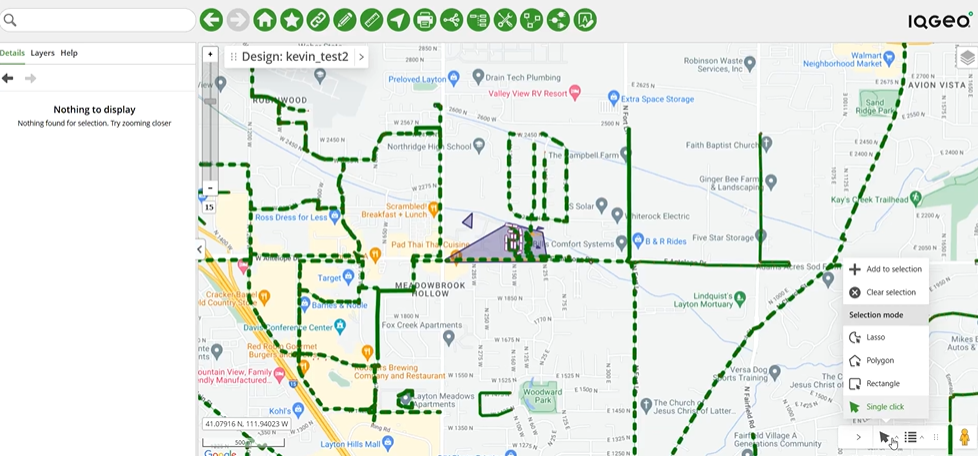
Plan and Design Fiber and Coax Builds

Design fiber and coax networks faster with a flexible, real-world network model that supports multiple architectures, technologies, and build strategies. Reduce design cycles while maintaining full visibility into costs, capacity, and network structure
IQGeo-Network-Manager-Telecom-selection-modes-and-map-rotation

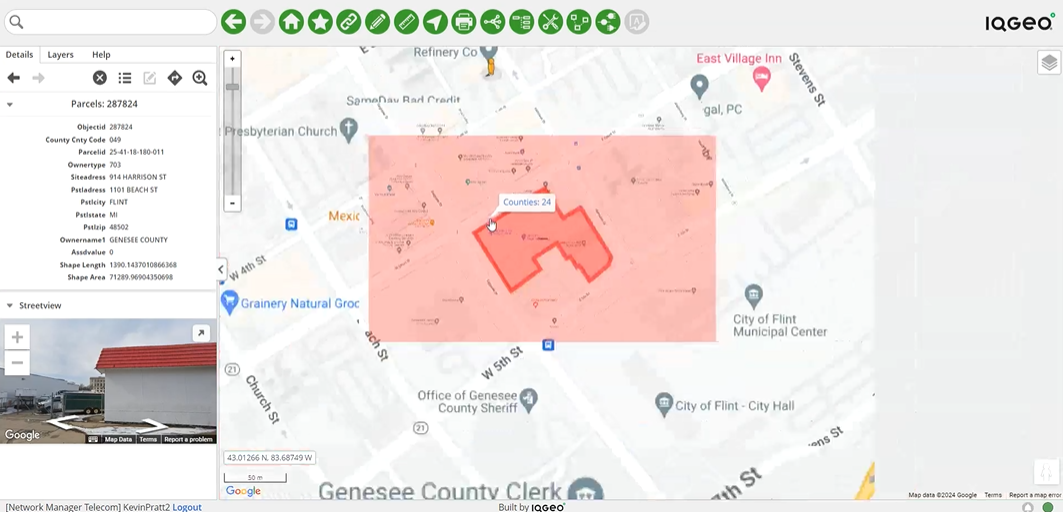
Capture Field Updates and Photos Offline

Equip field teams and contractors with simple, mobile-first tools that work fully offline. Capture redlines, photos, and asset updates in the field and sync automatically to keep office and field data perfectly aligned.
IQGeo-connecting-to-REST-services-video

Validate Construction Quality Using Visual AI

Automatically audit construction photos using real-time visual AI to verify quality, completeness, and compliance at scale. Catch issues early, reduce manual inspections, and ensure every build meets your standards before handover.

IQGeo-Network-Manager-Telecom-Coax-MDU-layout

Keep As-Builts Accurate and Always Up to Date

Sync field changes automatically to maintain accurate as-built records across your network. Reduce manual cleanup and ensure engineering, operations, and field teams are always aligned.
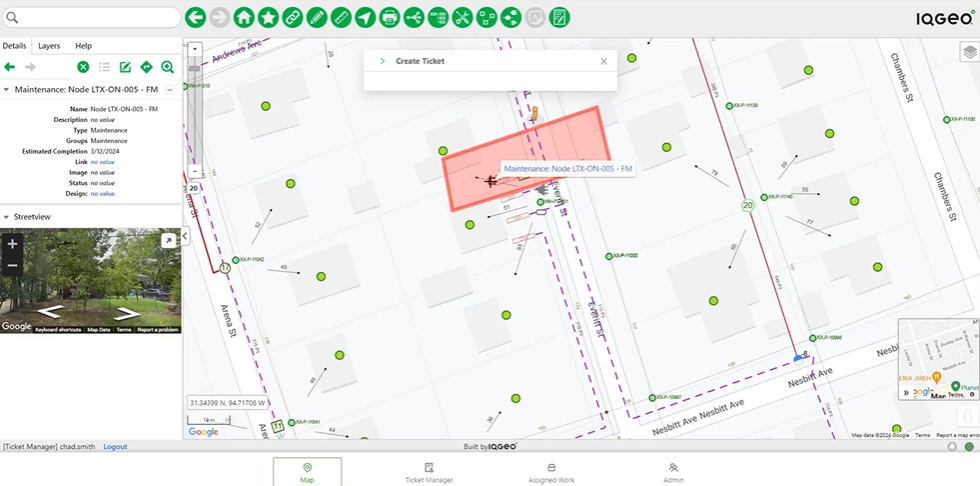
IQGeo-Network-Manager-Telecom-Coax-fault-managment

Troubleshoot Issues with Fast, Clear Tracing

Quickly trace fiber and coax networks down to individual strands, splices, and connections. Resolve faults faster with clear, end-to-end visibility that helps teams understand what’s connected, where, and how.

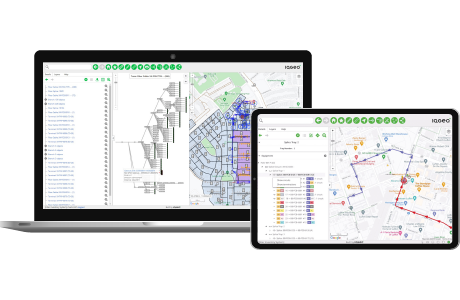
IQGeo-Network-Manager-Telecom-fiber-distance-reporting

Ready to Talk to Us?

Network Manager Telecom FAQs

How does Network Manager Telecom support my fiber network?

It manages the entire lifecycle—from planning and design to construction, operations, and monetization—giving you a single source of truth for your network.

Will it work with my existing GIS and enterprise systems?

Yes. Network Manager Telecom integrates with GIS, CAD, SAP, and other platforms through open APIs, so your teams can share data seamlessly without duplication.

Can my field crews use it offline?

 Absolutely. Field staff can download their work area, update records offline, and sync changes back automatically—no more delays from paper workflows. 

Does it show fiber details like splices and strands?

Yes. You can model down to splice closures, patch panels, and strand-level detail, with AI-powered image intelligence validating field work for accurate connectivity updates.

How do we manage as-built updates from contractors?

Crews capture photos and redlines in the mobile app, and real-time visual AI automatically validates construction to automatically update the network model.

Can we migrate from another fiber network management system?

Yes. Our proven migration process transfers your data into Network Manager Telecom while validating accuracy, so you don’t lose history.

Is the data model flexible?

Very. You can add custom attributes, rules, and equipment catalogs to match your network architecture and engineering standards.

Does it scale for both small ISPs and Tier 1 operators?

Yes. Network Manager Telecom is trusted by municipalities, regional ISPs, and global Tier 1 providers—scaling from thousands to millions of homes passed.

What types of networks does Network Manager Telecom support?

While optimized for fiber (FTTH, PON, point-to-point, metro, and transport), Network Manager Telecom also supports hybrid environments, including copper and coaxial networks.

How does it improve fault management?

With built-in tracing and schematic views, operators can quickly locate issues and restore service faster.

Where is my data hosted, and how secure is it?

Network Manager Telecom is hosted on AWS by default, with hybrid or on-premises options available. Strong permissions and open APIs keep your data secure and under control.

Relevant Resources

IQGeo-Network-Manager-Telecom-Insight-edition-product-images
IQGeo Network Manager Telecom product sheet

Network Manager Telecom product sheet

IQGeo Network Manager Telecom resources

Fiber operators can start fast and easily scale up with new IQGeo software editions

IQGeo Network Manager Telecom feature videos

Watch the feature videos to see Network Manager Telecom in action

Streamlining broadband operations through the power of integration

Streamlining broadband operations through the power of integration

IQGeo Customers

With over 100,000 active software users, IQGeo has an established and rapidly growing customer base with fiber, telecom and utility companies worldwide. Hear directly from our customers about how IQGeo is helping them to build better networks.

Brightspeed
"Meeting fiber deployment KPI's"

Craig Krammes, Director for IT Engineering Systems

TEPCO
"Geospatial view of damage information"

Hideaki Miyamoto, Manager - System Management Group

TELUS
"Changing the way we do business"

Ryan Moody, Fibre Planning Optimization

NW Natural
"Reducing technical debt"

Jim Downing, CIO

Central Hudson
"Doing the right thing for the customer"

Jeffrey Cito, Project Manager Operations - ECMC
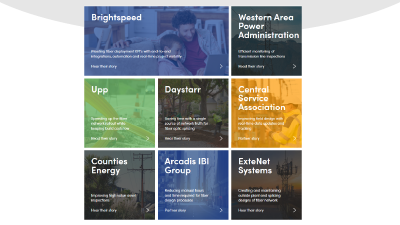
IQGeo customer stories
"Transforming businesses"

Telecommunications and utility network operators, watch more videos

Book a Demo Case Studies
Free demo

AI-powered Geospatial Network Management Software

The industry's most flexible and comprehensive geospatial solution to accelerate network planning, design and time to revenue from a single platform. 

See it in action!